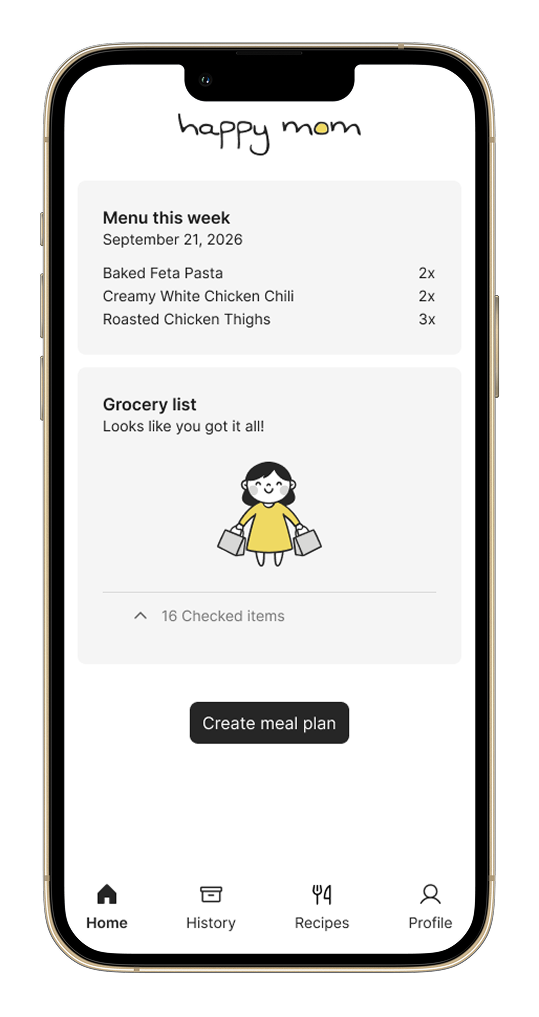
happy mom: turning messy recipes into one shared grocery list
An AI app I designed and built to lighten parents’ mental load.
meal plan with happy momAn AI app I designed and built to lighten parents’ mental load.
meal plan with happy momhappy mom turns a week of recipes into one grocery list that two or more people can check off together at the store. I designed it end to end and used AI as my engineering partner.
Between our jobs, chores, and other social obligations, my partner and I always felt busy. When we became parents, that word took on a new meaning, and we found ourselves meal planning out of necessity. Each week we’d pick 3-4 recipes online, double most of them for leftovers, then add the ingredients to a joint grocery list.
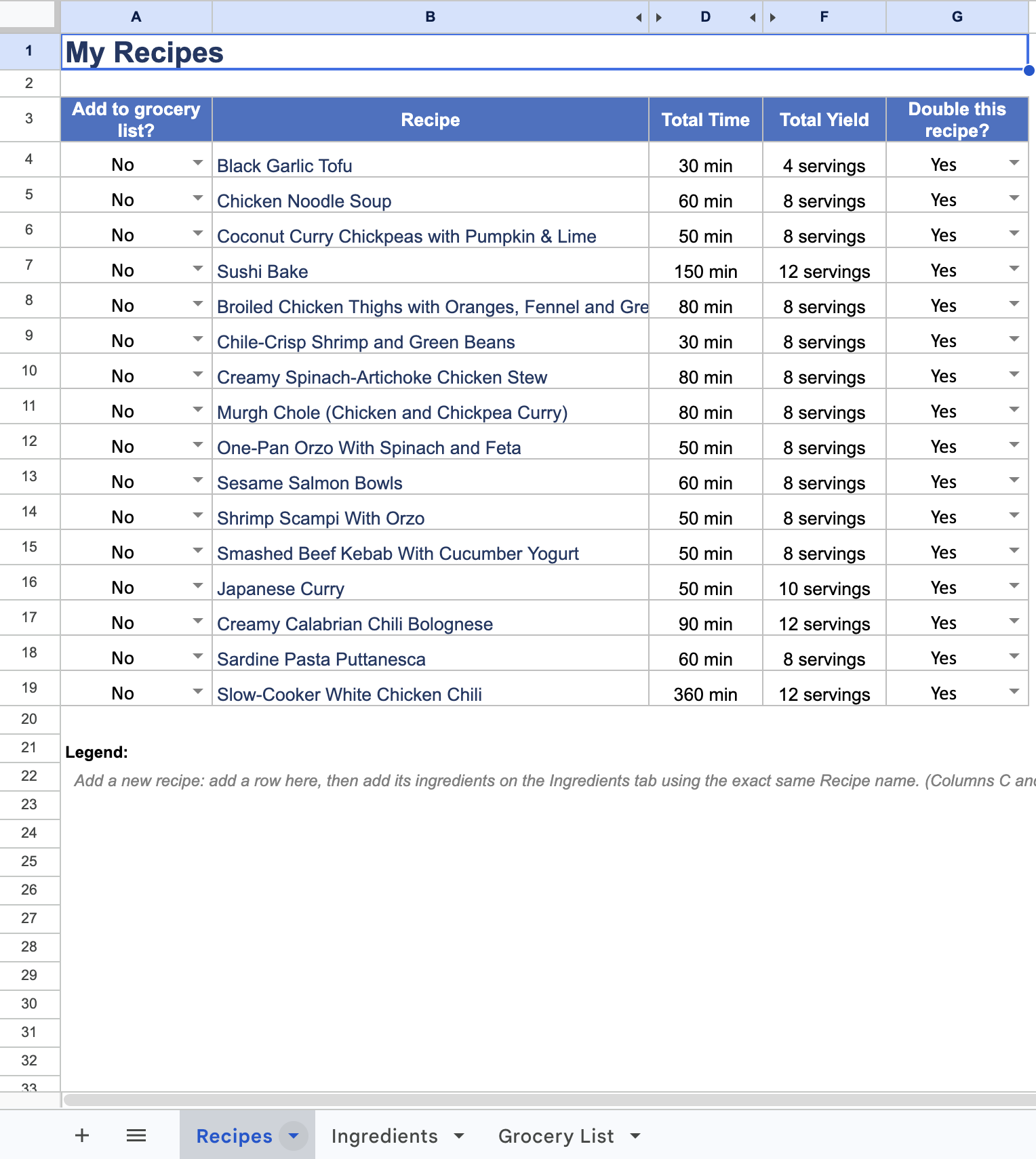
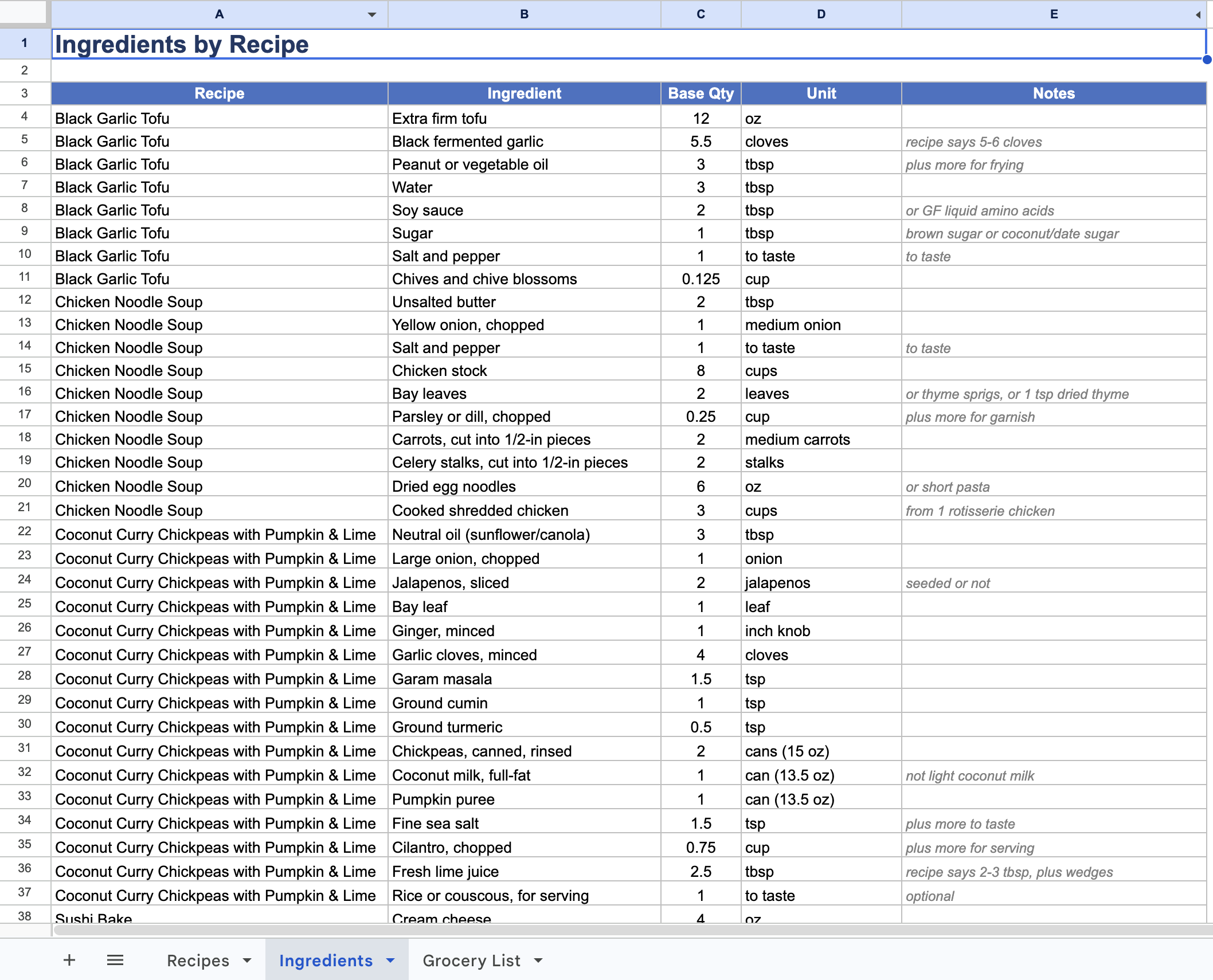
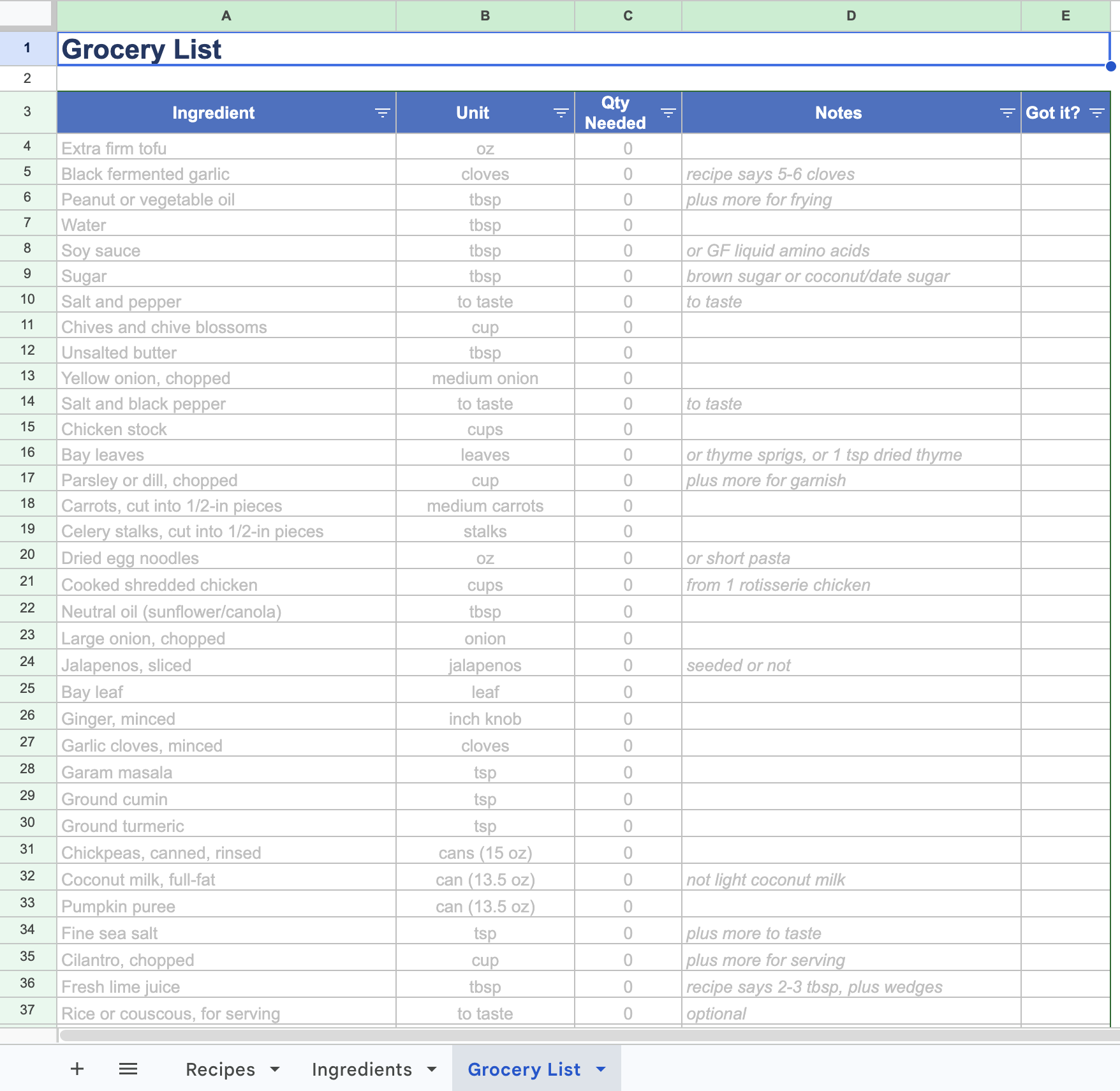
Our system was a spreadsheet of 16 recipes and a grocery list copied into a notes app. Before designing anything, I audited that spreadsheet and found our biggest pain points:
The goal: add a week’s recipes in seconds and get one grocery list, generated automatically, that we can both check off live at the store.
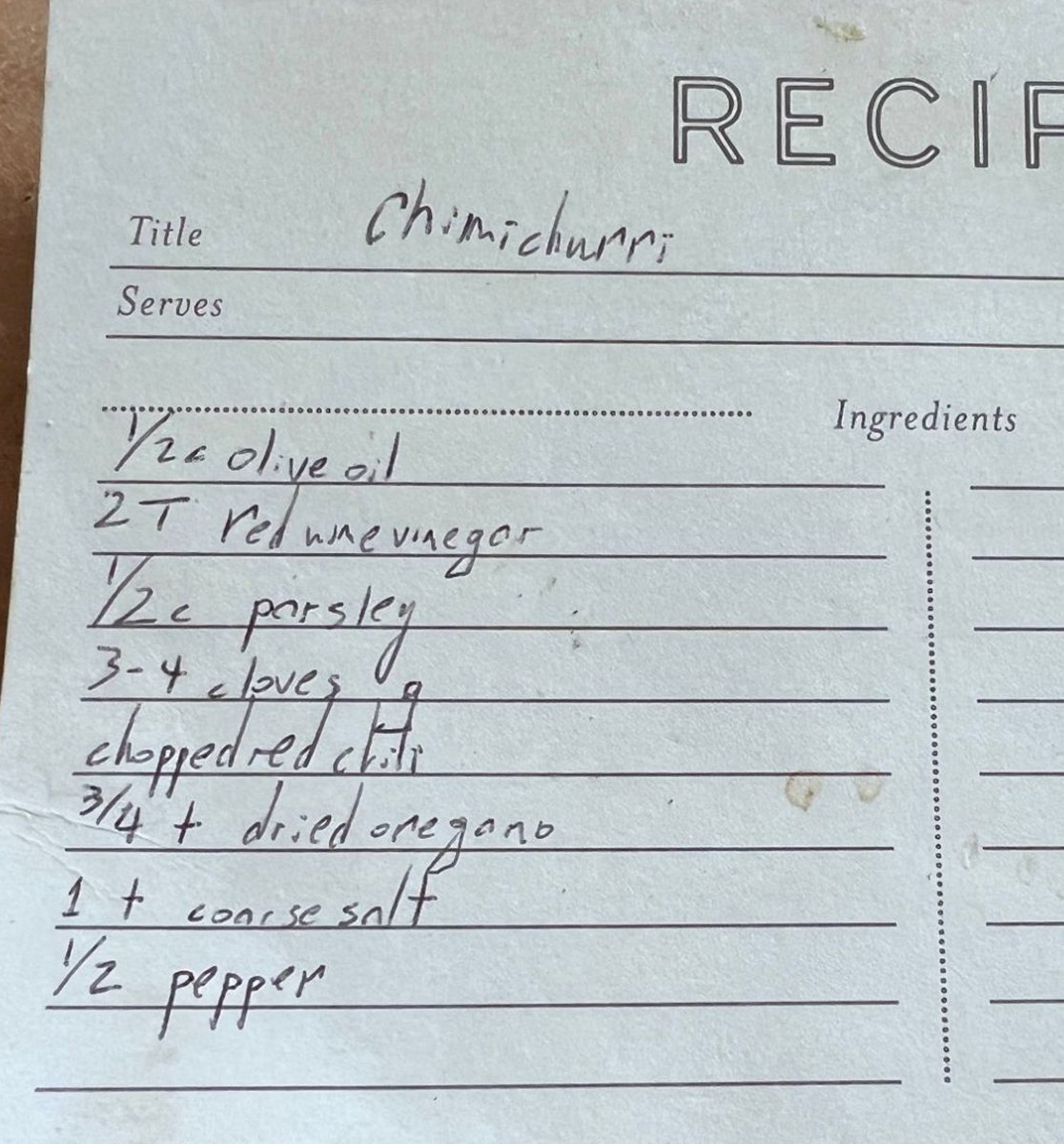
Before I opened Figma, I spent time in Claude Code testing whether AI could reliably read a recipe. If the app couldn’t do this, no amount of interface polish would save it. I tried recipes from PDFs, links, and photos, including a handwritten card. I also tested whether it could merge similar ingredients into one line.
Our old spreadsheet became my answer key. It had 195 ingredient lines with known amounts, so I could check the AI’s work against something I trusted. I ran several rounds, revising its instructions each time to fix a specific kind of problem:
By the last round, it read 194 of 195 lines correctly, which gave me the confidence to start designing.
When I started designing in Figma, I realized the hardest design problem wasn’t a screen. It was deciding which items the AI should flag and which it should handle on its own.
I want meal planning to be easy, and I want to leave the store with everything I need. Running to the corner market for a forgotten item is the opposite of that. So I designed screens where people can resolve unclear items in the app, and ranked the questions it asks by priority:
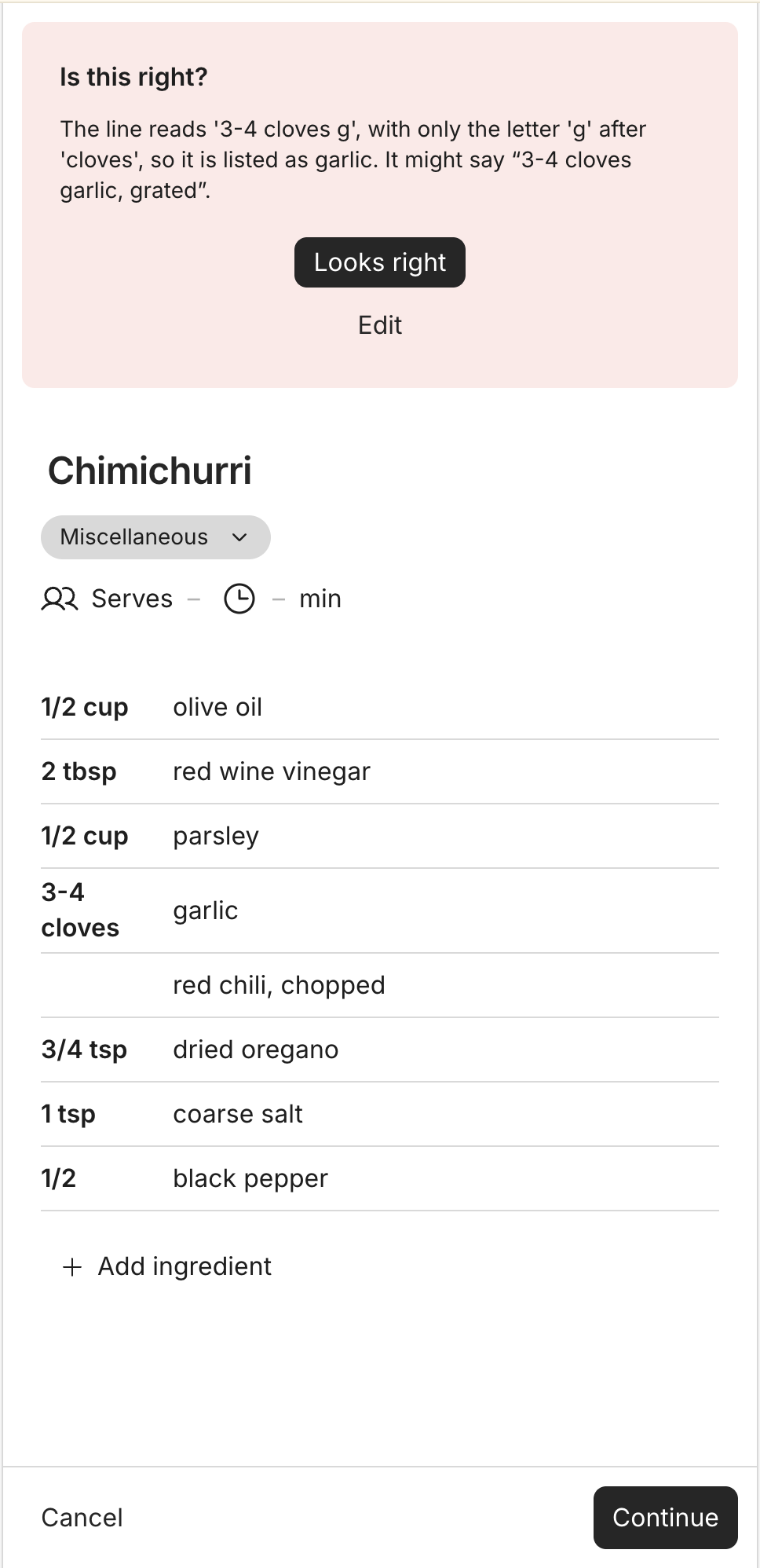
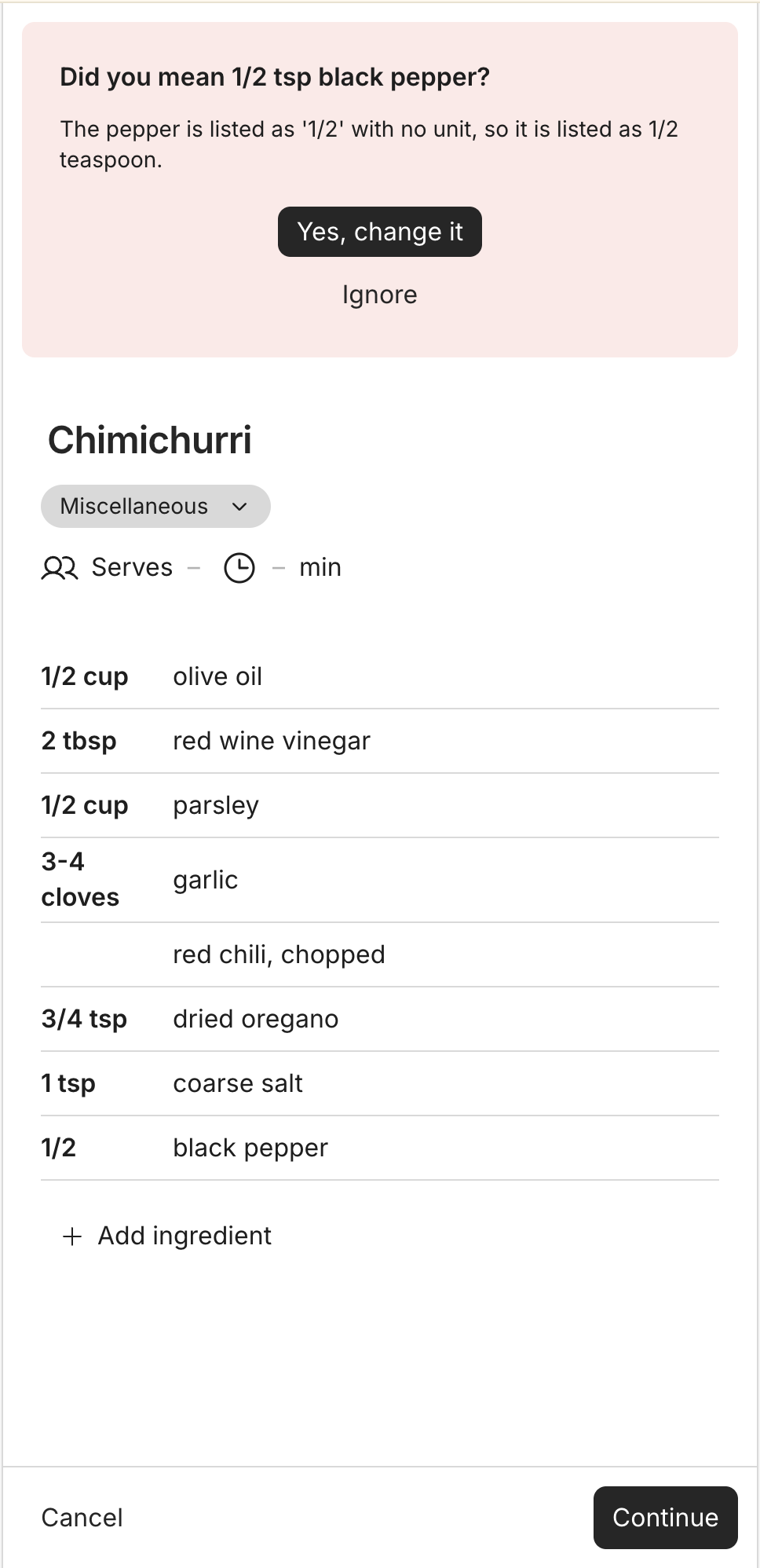
On my handwritten chimichurri card, two lines were unclear. One said “3-4 cloves” followed by just the letter “g,” and another said “1/2 pepper” with no unit. Instead of guessing silently, the app makes its best guess and asks. For the garlic, it shows what it read and asks me to confirm. For the pepper, it suggests 1/2 tsp black pepper, which I can accept or ignore.
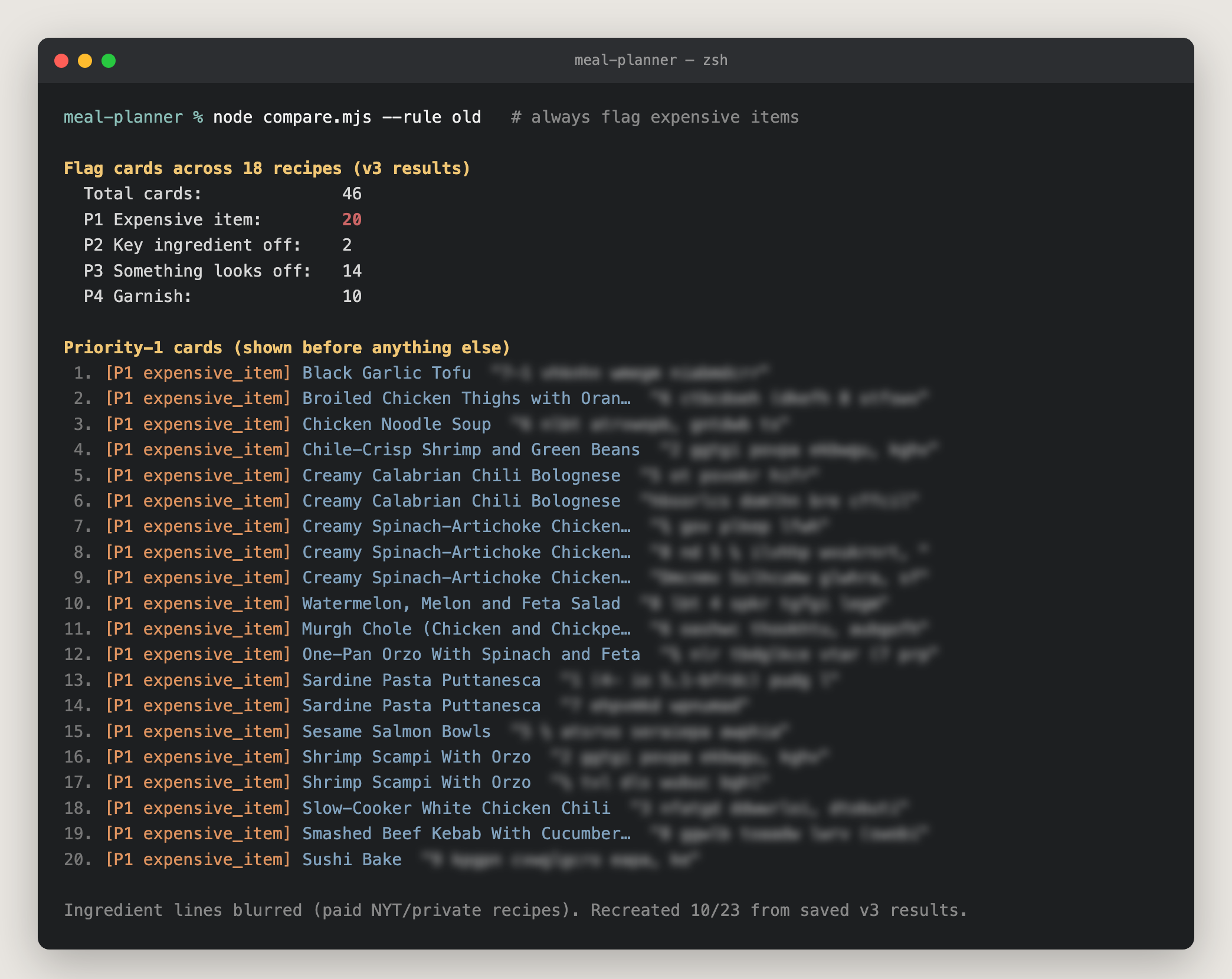
I also had to be explicit about when the app should ask. I wrote “flag expensive items,” and Claude Code built it as “always flag them,” so the app asked me to double-check 20 pricey items. When I rewrote the rule as “flag expensive items only when the amount looks off,” it flagged just the one that needed it.
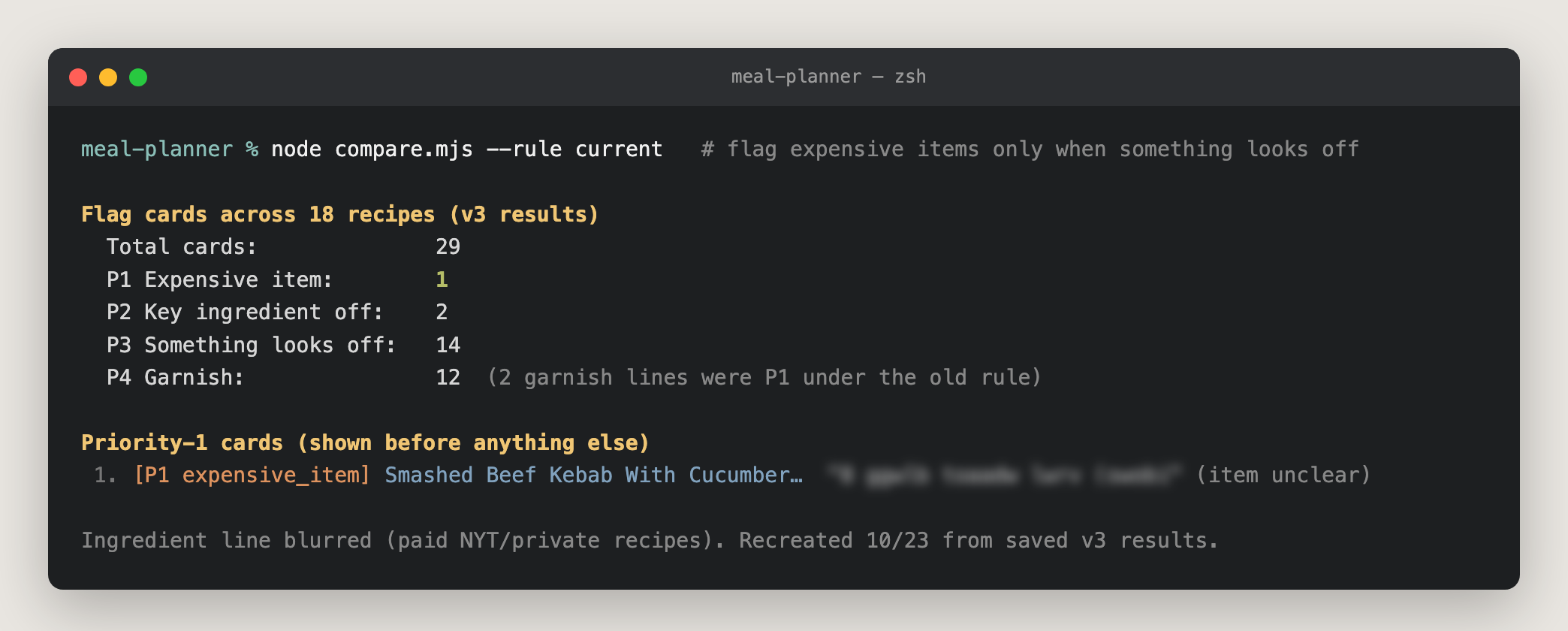
I compared models, too. A cheaper model was just as accurate but flagged 40% more items. Every extra flag is a chance someone stops reading, so I kept the stronger model.
My principles:
Once the AI could read recipes reliably and I knew when it should ask, I designed the rest of the app around how my partner and I actually plan and shop each week.
Recipes turn into one grocery list automatically. In our spreadsheet days, picking recipes was only half the work. We still had to retype every ingredient into a notes app. In happy mom, the grocery list is generated from the recipes I pick. Doubling a recipe doubles its amounts, and similar items merge, so two recipes calling for olives become one line, and “fine sea salt” and “kosher salt” become just “salt.”
Questions come up when I add a recipe, not when I plan. I originally had the app ask its questions at the end of creating a meal plan. After testing it myself a few times, I found it slowed down the one part I wanted to be fast. So I moved the questions to when a recipe is first added. That felt more natural, since that’s when I’m already checking that it came through correctly. If a recipe says 11 lb of chicken, I fix it once, and every future meal plan with that recipe just works.
The grocery list is the home screen everyone in a household sees. My partner and I can each open it in the aisle and check off items as we shop. It’s also editable, so paper towels or shampoo can go on the same list, and all our shopping lives in one place. I’d always forget which 3-4 recipes we’d shopped for, so the week’s recipes sit at the top of the home screen too.
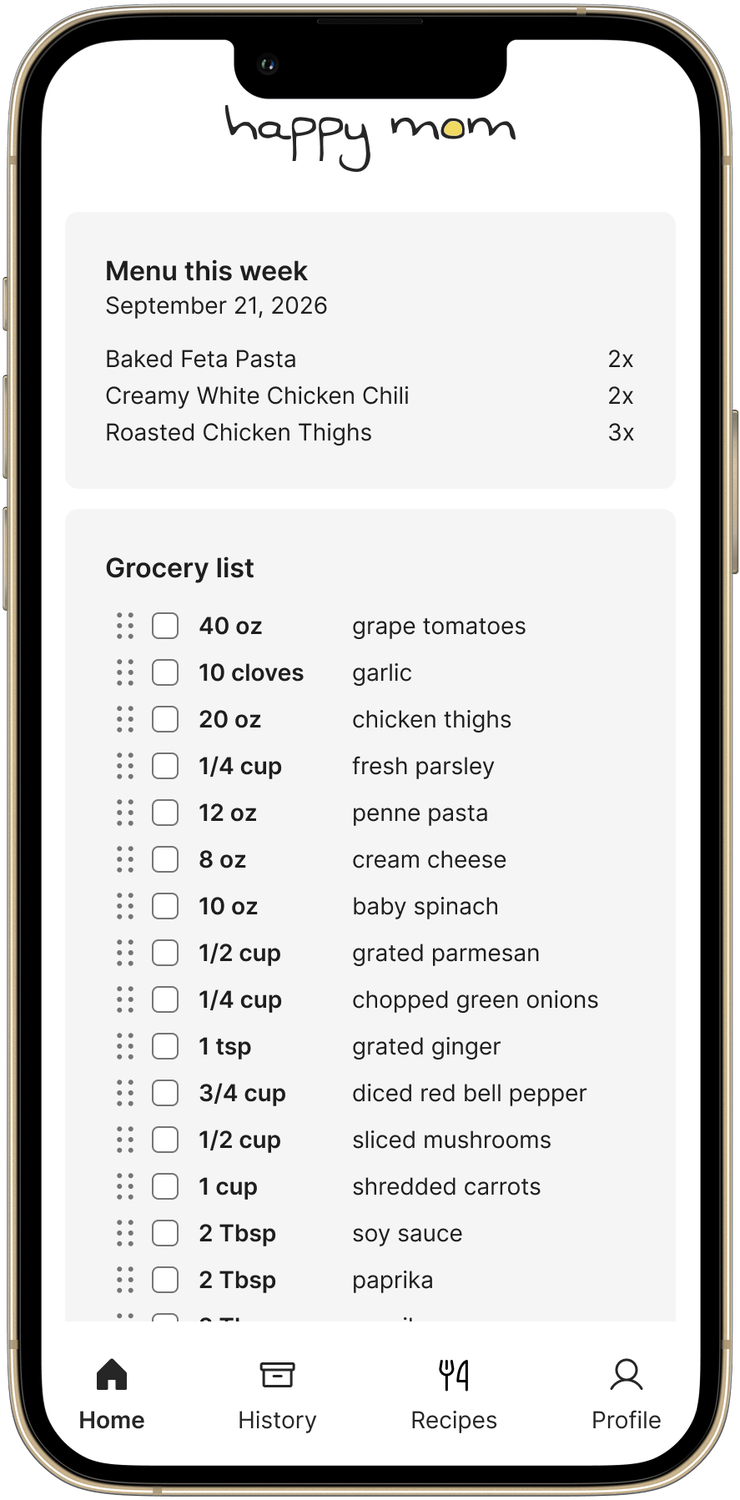
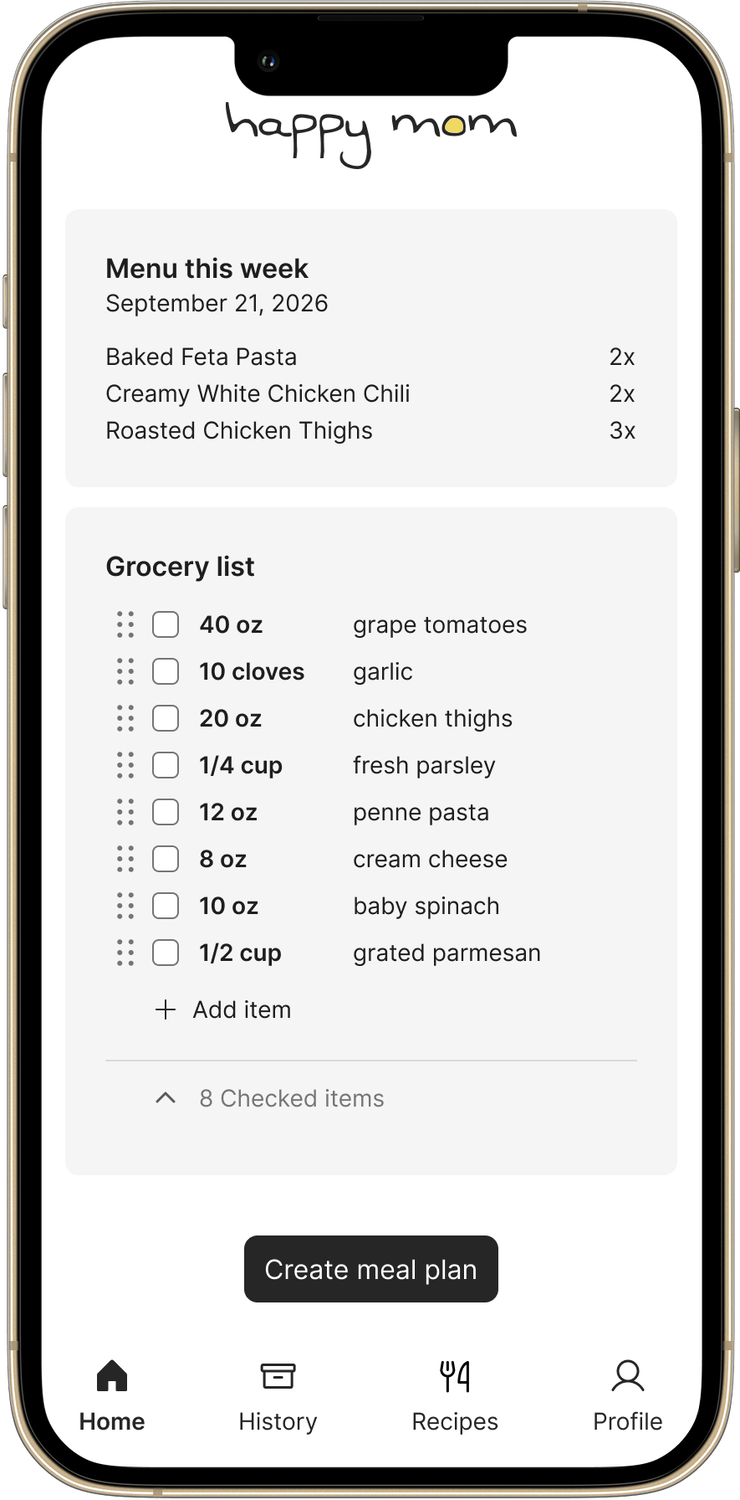
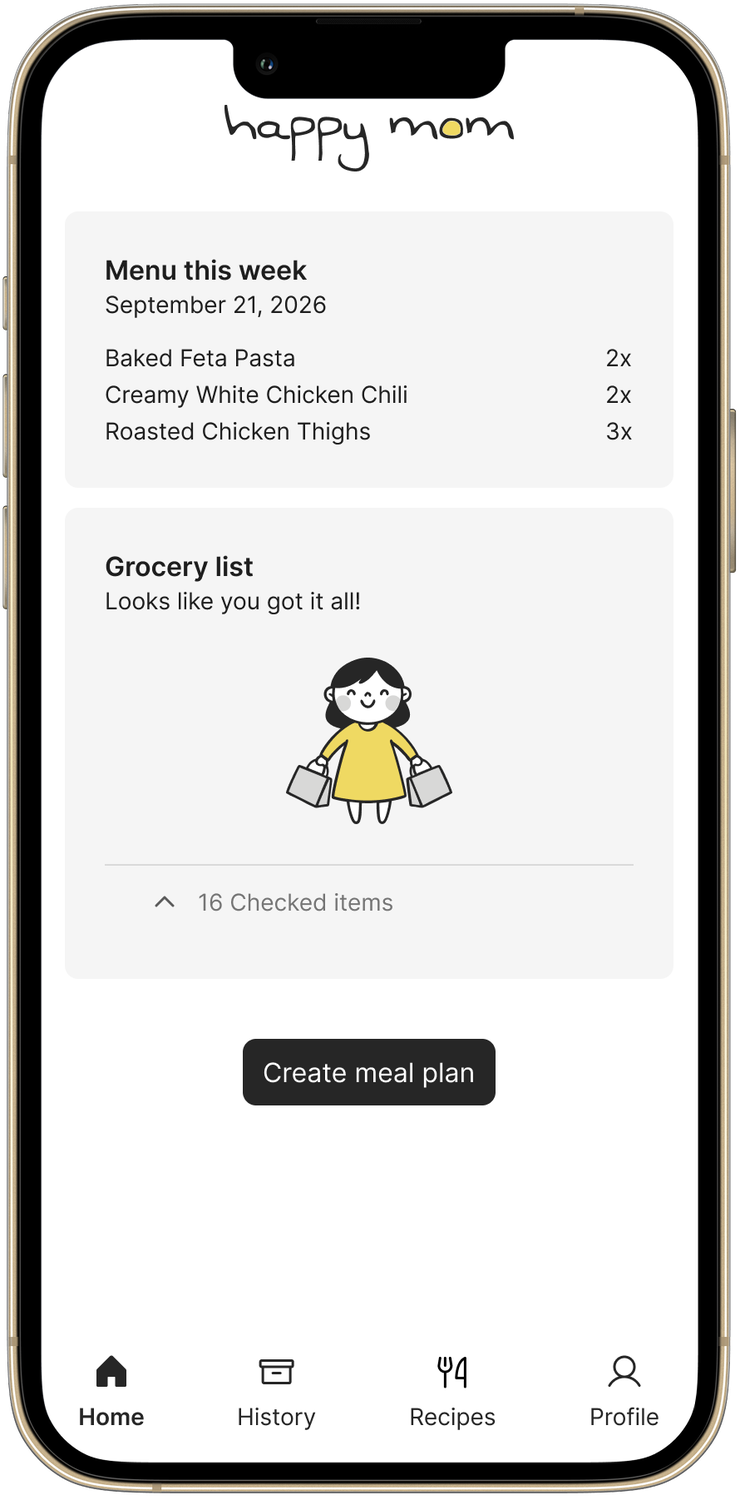
Servings max out at 3x. happy mom is built for one household, and I couldn’t see a family realistically cooking more than triple a recipe. Even doubling some recipes barely fit in our biggest pot. So each tap on a recipe cycles through 1x, 2x, 3x, and off.
In three weeks, I went from a spreadsheet to a live app that my partner and I use to plan and shop every week. I built it with Claude Code, and along the way I kept a log of every decision, test, and mistake, which became the raw material for this case study.
Once our recipes were in the app, putting together a week’s grocery list went from about 15 minutes to under 60 seconds.
“It made perfect sense out of [a] poorly documented recipe… I look forward to trying it some more.”
— early user
Every AI product that turns messy input into structured data will eventually need a human to check its work. The question isn’t whether to ask, but when. In happy mom, moving questions to when a recipe is first added turned an interruption into a natural check, and each answer carried forward to every future week.
The same applies to scanning a receipt, filling out an insurance claim, or onboarding a new patient: ask once, at the moment people are already reviewing, and let that answer pay off every time after.
We use happy mom every week, and since launch, 5 households have signed up. I plan to keep refining it as I gather feedback.